


Microsoft 365 will go down again.
On Thursday, Nov. 12, New Orleans’ Sewerage & Water Board had to ask residents to report problems by phone because reports submitted through its online tool were delayed. Sugar Land, Pearland and League City told residents that city services were affected. Across the Gulf South, businesses lost email for hours, and some were still waiting on delayed messages Friday morning.
The ones that handled it best had already answered a simple question: What do we do if email goes down? If your team had to figure that out in the middle of an outage, your plan isn’t ready.
That answer belongs in your IT business continuity plan. Here are the five questions I’d want every leadership team to answer before the next Microsoft 365 outage, and what a good answer looks like for each.
What Happened During the Nov. 12 Microsoft 365 Outage
Microsoft 365 servers began dropping offline around 10 a.m. Central Time on Thursday in some regions, and the problem became more widespread by late afternoon. Microsoft first reported trouble connecting to Exchange Online mailboxes in the Americas, then said users in any region could be affected. Downdetector logged nearly 130,000 reports of Outlook problems by early afternoon.
Microsoft said a large number of servers had become unexpectedly unavailable, which pushed the load onto the rest. Thursday night, the company said a process on the affected servers that establishes secure connections was getting overwhelmed and causing them to stop processing requests. Microsoft has said there is no indication of malicious activity.
Some of our clients lost email entirely, while others saw intermittent issues. We tracked it through the night as Microsoft restored service region by region. At 8:17 a.m. Central on Friday, Microsoft said email queues were “significantly reduced and approaching normal levels,” with some users still seeing intermittent problems. Microsoft also extended its email timeout window to 48 hours so delayed messages wouldn’t bounce. Anyone can keep up with the outage by following status.cloud.microsoft.
5 Questions Your IT Business Continuity Plan Should Answer
Treat these five questions as a business continuity plan checklist for losing Microsoft 365. None of them needs new technology, just a decision and a list. If your team can’t answer one in under a minute, that’s the gap to close first.
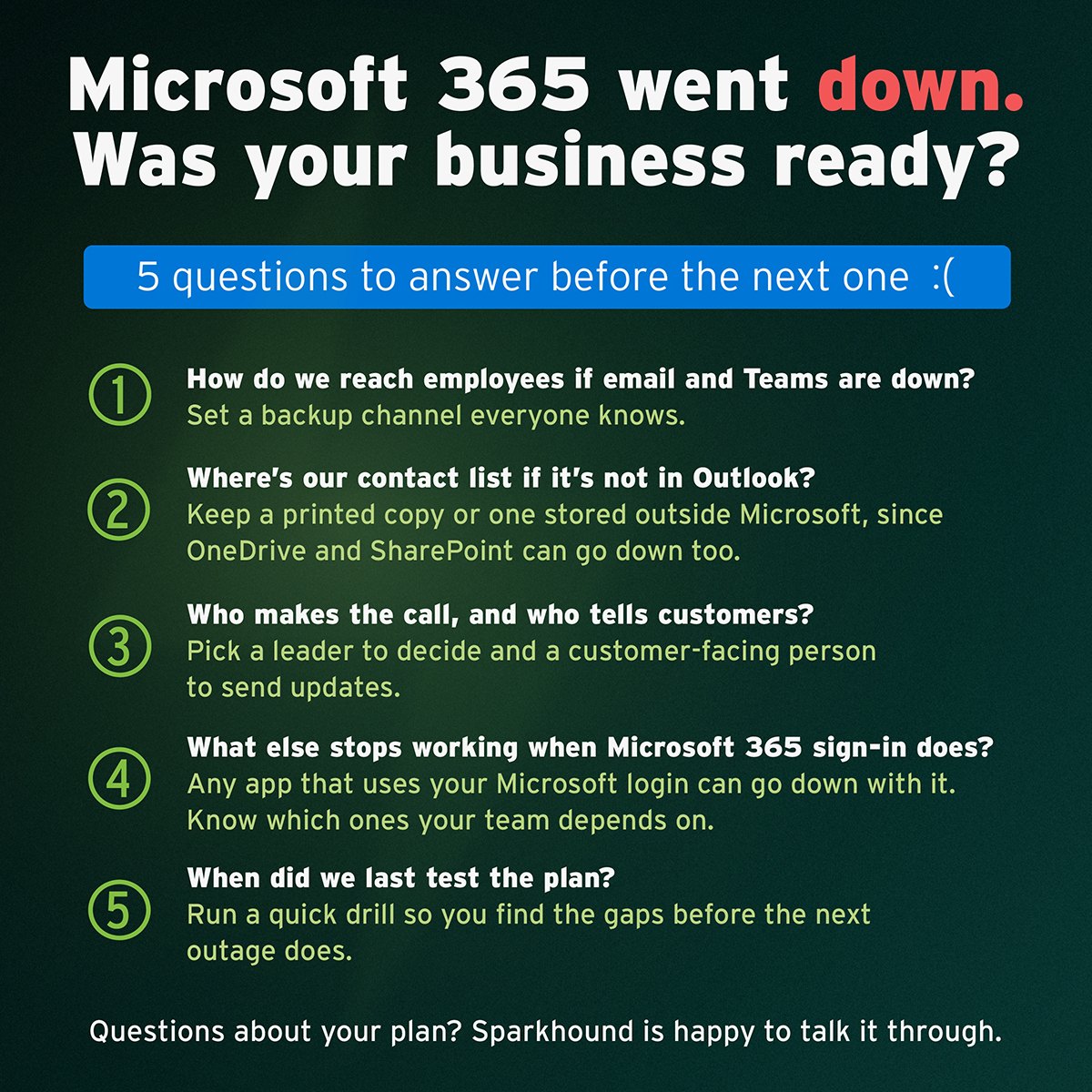
1. How Do We Reach Employees If Email and Teams Are Down?
Set a backup channel everyone knows. The key word is everyone. A text group that only the leadership team is on won’t help the warehouse, the front desk or the people working from home.
A good answer names the channel, says who starts it and says when. “If email is down for 30 minutes, the office manager sends a text to the all-staff group” is a plan. “We’ll figure something out” is not. Pick a channel that doesn’t run on your Microsoft 365 account, such as SMS or a phone tree, and put the instructions somewhere people will see them without having to log in.
2. Where’s Our Contact List If It’s Not in Outlook?
Keep a printed copy or one stored outside Microsoft, since OneDrive and SharePoint can go down too. Most companies keep customer, vendor and employee numbers in Outlook contacts. Most people only know a colleague’s number because it’s in their signature line.
The list doesn’t need to be long. It needs the people you’d call in the first two hours: key customers with open deadlines, critical vendors, your IT provider and every employee. Give one person the job of keeping it current. Then set a reminder to update it every quarter.
3. Who Makes the Call, and Who Tells Customers?
Pick a leader to decide and a customer-facing person to send updates. Those can be the same person in a small company, but the roles are different. One decides when the company switches to backup plans. The other makes sure customers hear from you first.
Decide in advance what triggers the switch. An hour without email is a reasonable line for most businesses. Write the customer message in advance, so it’s always ready. Two sentences is enough: email may be delayed, and here’s a phone number to reach us. A message that’s already written is ready to go out in five minutes. One that has to be drafted, edited and approved during an outage goes out after lunch.
4. What Else Stops Working When Microsoft 365 Sign-In Does?
Any app that uses your Microsoft login can go down with it. Know which ones your team depends on and which are mission-critical.
This is where Thursday’s outage surprised people. Microsoft said features that rely on Exchange Online and email were affected, while features that don’t rely on Exchange kept working. Teams calls and chat mostly held up, but scheduling meetings and editing calendar entries could fail. Copilot, Planner, Intune and Defender were all on Microsoft’s list of possibly affected services. Microsoft also said Defender for Office 365 Safe Links might not be able to check links clicked in Outlook and Teams, which matters because outages bring phishing emails that promise to fix your account.
Make a list of every system and workflow that touches Microsoft 365, including the ones that only use it to sign in: approvals, scheduling, AI tools, line-of-business apps. Next to each one, write what the team does by hand if it stops. That list also explains why the same outage can shut down one company and barely slow another.
5. When Did We Last Test the Plan?
Run a quick drill so you find the gaps before the next outage does. A plan that’s never been tested is a guess.
The drill doesn’t need to be elaborate. Get the leadership team in a room for an hour and say, “Email has been down since 10 a.m. What do we do?” Walk through the first four questions out loud. Note every place someone hesitates, looks for a phone number or asks who’s in charge. Those are your fixes. Run it again once a year and any time you change a major system.
After Service Comes Back
Recovery on Microsoft’s side doesn’t undo the disruption on yours. Once email is flowing again:
- Watch for late mail. Because Microsoft extended its delivery window to 48 hours, messages sent during the outage can arrive days later.
- Resend anything time-sensitive. Invoices, bids, contracts and approvals sent during the outage may not have reached the other side.
- Confirm by phone. Call key customers and vendors to confirm deadlines, orders and deliveries rather than assuming an email landed.
- Recheck calendars. Meetings scheduled or changed during the outage may not have saved.
- Write down what broke. While it’s fresh, note which workflows stopped and how long the workarounds took. That list is the start of the next version of your plan.
Your Next IT Business Continuity Plan Review
Microsoft’s post-incident report will explain what broke inside Microsoft. It won’t explain what broke inside your business or how long your team spent finding workarounds. How your business was affected is worth reviewing now, while everyone still remembers it.
Sparkhound’s managed services team helps Gulf South organizations plan, run and protect their Microsoft environments, from Microsoft 365 consulting to managed cloud services with round-the-clock monitoring. Questions about your plan? Talk to our team. We’re happy to review it with you.
Frequently Asked Questions
Was the Microsoft 365 Outage a Cyberattack?
Microsoft has said there is no indication that the Nov. 12, 2026, Microsoft 365 outage was caused by malicious activity. According to Microsoft, a large number of servers became unexpectedly unavailable, which shifted load onto the remaining infrastructure. Microsoft later said a process responsible for establishing secure connections on the affected servers was becoming overwhelmed and causing them to stop processing requests. Microsoft has said it will publish a post-incident report after the incident closes. Until then, businesses should rely on status.cloud.microsoft and Microsoft 365 admin center notices rather than social media speculation.
Is Microsoft 365 Back Up?
Microsoft 365 was largely recovering by Friday morning, Nov. 13, 2026, but Microsoft had not declared full restoration. At 8:17 a.m. Central Time, Microsoft said service availability was improving and email queues were “significantly reduced and approaching normal levels,” while warning that some users might still see intermittent problems. Microsoft restored service region by region, so one company can be back to normal while another still sees delays. The most current information is on Microsoft’s status page, status.cloud.microsoft, and the @MSFT365Status account on X. IT administrators can track incidents EX1550543 and MO1550821 in the Microsoft 365 admin center.
What Should a Business Do When Email Goes Down?
When business email goes down, a company should first confirm the outage on the provider’s status page, then move employees to a backup channel such as a text group or phone tree. Next, tell key customers that email may be delayed and give them a phone number. Confirm critical deadlines by phone instead of waiting for email to return. After service comes back, watch for delayed messages, resend anything time-sensitive and check that meetings scheduled during the outage saved. If leadership can’t answer these questions quickly, the company’s IT business continuity plan needs updating.
What Is an IT Business Continuity Plan?
An IT business continuity plan is a written plan for how a business keeps operating when a technology it depends on fails, such as email, cloud apps or the network. It differs from a disaster recovery plan, which focuses on restoring systems and data. A continuity plan focuses on the people and the workflows: how employees communicate, who makes decisions, how customers are informed and which tasks can be done by hand until service returns. For a company that runs on Microsoft 365, the plan should answer five questions: how to reach employees, where contacts live outside Outlook, who decides and who tells customers, what depends on Microsoft sign-in, and when the plan was last tested.