
Copilot licensing works like most other business software contracts: adding a seat takes 30 seconds, and dropping one can take up to a year. Timing your Copilot licensing audit right is critical.
Miss that moment, and you’ll be paying for seats no one uses for another year. The average organization uses only 54 percent of its licenses and wastes $19.8 million a year on the rest, according to Zylo’s 2026 SaaS Management Index.
You stay ahead of it by not waiting for renewal. Matt Meyer, principal technologist at Sparkhound, recommends running a Copilot licensing audit every quarter, so you know which seats earn their place well before your renewal date. “Tool costs are a real hit to a company bottom line,” Meyer says. “You only have so many licenses you are willing to pay for, therefore those licenses should go to the ones who use the product. Don’t waste money. Use it or lose it.”
What Is a Copilot Licensing Audit?
A Copilot licensing audit is a seat-by-seat review of your paid Microsoft Copilot (formerly Microsoft 365 Copilot) licenses against how each person actually uses them, so you can keep, move or drop every seat before your contract renews. It turns the usage data already in your Microsoft 365 admin center into a decision for each license.
“License audit is actually quite simple,” Meyer says. “We take a look at how many prompts the user has executed in the unit of time. How many Cowork credits consumed, how many searches. If the user did not use the product above the adoption threshold, they are flagged.”
Paid Copilot License vs Free Copilot Chat
Not everyone who uses AI at work needs a paid seat. The difference comes down to what Copilot can see.
| Feature | Free Copilot Chat | Paid Copilot license |
|---|---|---|
| How you get it | Included with eligible Microsoft 365 plans | A paid license for each person who needs it |
| Cost (as of November 2026) | No added cost | Copilot Business: $21 per user a month paid yearly. Enterprise version: $30 per user a month paid yearly. |
| What it answers from | The web and files a person uploads to the chat | The web plus your Outlook email, Teams meetings, chats and SharePoint files, limited to what each person can already open |
| Who it fits | People rewriting drafts, summarizing uploaded PDFs or asking general research questions | People summarizing client threads, pulling action items from meetings or analyzing shared spreadsheets |
The Problem With Putting Off Your Copilot Licensing Audits
Let your subscription renew without an audit, and two problems follow.
You’ll Pay for Seats You Don’t Need
Microsoft limits when you can lower your license count. On a Microsoft Customer Agreement, you can remove licenses only within seven days of buying or renewing a subscription, and other account types get a limited window too. Miss the window, and every idle seat keeps billing through the rest of the term.
You’ll Miss Out on Opportunities to Encourage Adoption
Without regular audits, you’ll miss the chance to spot adoption hurdles and correct them.
Meyer says the obstacles often surprise leadership. “Many times we find that busy people do not adopt as quickly, because they are too busy to use the tool that will make them less busy. Like running beside a car because they are so busy running they can’t be bothered to use the car that will make them go faster,” he says.
How to Run a Copilot Licensing Audit
You don’t need special software for a Copilot licensing audit. You need the Copilot usage report, a spreadsheet and a few conversations with your team.
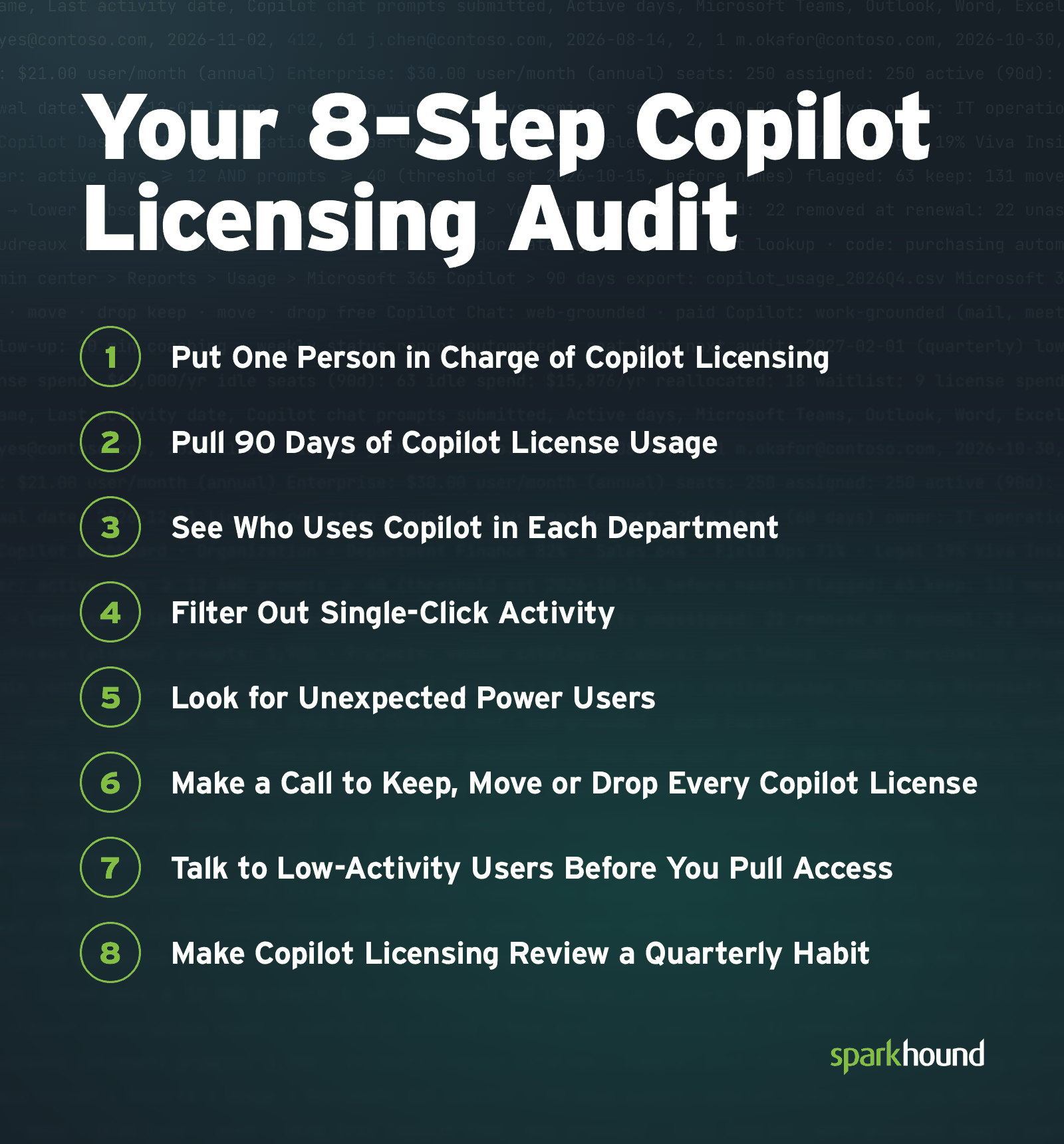
1. Put One Person in Charge of Copilot Licensing
Name a single owner for the contract. Have that person find the renewal date on the Your Products page under Billing in the Microsoft 365 admin center and set a reminder 60 days ahead. That leaves time to review usage, talk with department leads and make seat changes before the window to reduce your license count closes.
2. Pull 90 Days of Copilot License Usage
Open the Copilot usage report in the Microsoft 365 admin center and choose the 90-day view. The report also offers 7, 28 and 180 days, but a week shows curiosity and a quarter shows habits. Export the user table, which lists each person’s prompts submitted, active days and last activity date.
3. See Who Uses Copilot in Each Department
The usage report lists people, not teams. To see which departments get value from Copilot, open the Copilot Dashboard in Viva Insights. You don’t need a paid Viva Insights or Copilot license to view it, and even tenants with 1 to 49 Copilot licenses get group-level metrics.
The dashboard’s Organization filter reads the Department field in Microsoft Entra ID, the directory that holds your employee accounts, so fill that field in for everyone first.
4. Filter Out Single-Click Activity
Don’t trust the active-user total at the top of the report. Microsoft counts a person as active if they tried a Copilot feature once during the period, so someone who submitted one prompt in 90 days looks the same as someone who uses Copilot every morning.
Sort the user table by active days and prompts, lowest first. Then set an activity threshold that fits your company, and write it down before you look at names. Someone who sent two prompts in a quarter isn’t using Copilot to do their job.
5. Look for Unexpected Power Users
Before you cut seats by job title, look at who has the highest prompt counts. Value doesn’t always follow the org chart.
“Then there are always the adopters in certain job functions that you never in a million years would figure to use AI, and they are using it in innovative ways that you never expect,” Meyer says.
In one audit Meyer ran, a plumber turned out to be a heavy user, and management didn’t even know he had a license. “It turns out that he loaded web sites and catalogs into a Project and was using it to very quickly find the parts he needed,” Meyer says. “He was using the camera function to find what model and brands were being used. And best yet, he was using code to build programs to automate his purchasing and other tasks.”
The plumber wasn’t a programmer. He used Copilot to cut out what he called “busy work” and get better at his actual job.
6. Make a Call to Keep, Move or Drop Every Copilot License
Evaluate seats on their merits. “This mostly has to do with interest and job role,” he says. “If the job does not have any practical need for a license, they shouldn’t be issued one. Most information workers are going to need a license.”
- Keep: People who use Copilot regularly on work that needs your email, meetings and files.
- Move to Copilot Chat: People who only need web research, grammar cleanup or general drafting. Free Copilot Chat keeps the capability without the license fee.
- Drop: People who opened Copilot once or have no practical need for it in their role.
Dropping a seat takes two moves. Microsoft won’t let you lower your license count while every license is assigned, so unassign the license from the person first, then remove it from the subscription during your renewal window.
7. Talk to Low-Activity Users Before You Pull Access
Before you reclaim a seat, ask the person why they haven’t used it. Find out whether the problem is the tool or the training. If 20 minutes of coaching helps someone automate a weekly status report, keep the seat. If the work doesn’t benefit from AI, give the seat to someone who will use it.
8. Make Copilot Licensing Review a Quarterly Habit
People change roles, teams grow and shrink, and usage shifts with them. Put the next audit on the calendar before you close this one, and add your seat rules to your company’s AI policy.
“This is up to the company to set their own audit threshold,” says Meyer, who suggests once every quarter.
Make Every Copilot Seat Earn Its Cost
Sparkhound’s AI Managed Services include a virtual Chief AI Officer who reviews your license usage with you every quarter.
Frequently Asked Questions About Copilot Licensing Audits
Here are answers to common questions about Copilot licensing audits and what Copilot licenses cost.
If You Remove a Copilot License, Does Your Bill Go Down?
Removing a Copilot license from a person doesn’t lower your bill on its own. Your bill goes down only when you lower the license count on the subscription, and Microsoft allows that only in a limited window after you buy or renew, which is seven days on a Microsoft Customer Agreement. You can remove licenses only when recurring billing is turned on, and prepaid subscriptions can’t have licenses removed at all.
How Much Does a Copilot License Cost?
A Copilot Business license costs $21 per user a month paid yearly, or $25.20 billed monthly, according to Microsoft’s Copilot Business pricing as of November 2026. A promotional price of $18 a month applies to the first year of annual subscriptions bought between July 1 and Dec. 31, 2026. The enterprise version of Microsoft Copilot costs $30 per user a month paid yearly, or $31.50 billed monthly with an annual commitment.
Do You Need a Microsoft 365 Plan to Buy Copilot?
You need a qualifying Microsoft 365 plan to buy Microsoft Copilot until Dec. 1, 2026. Microsoft announced in October 2026 that new Microsoft Copilot and Copilot Business purchases made on or after that date won’t require a qualifying Microsoft 365 base subscription, at the same price as the current offers. Existing add-on subscriptions don’t change and can keep renewing and adjusting seat counts.
How Often Should You Run a Copilot Licensing Audit?
Sparkhound recommends running a Copilot licensing audit once a quarter. A quarterly audit catches unused seats and people who need coaching early, so you already know which seats to keep or drop when your renewal window opens.
What Does a Copilot Licensing Audit Cost?
A Copilot licensing audit costs nothing in software when your own team runs it, because the Copilot usage report is built into the Microsoft 365 admin center. The real cost is staff time to review the data and talk with low-activity users.
How Does Sparkhound Help With Copilot Licensing?
Sparkhound helps with Copilot licensing through its AI Managed Services, where a virtual Chief AI Officer runs quarterly business reviews that evaluate license usage.